Check any message for scams
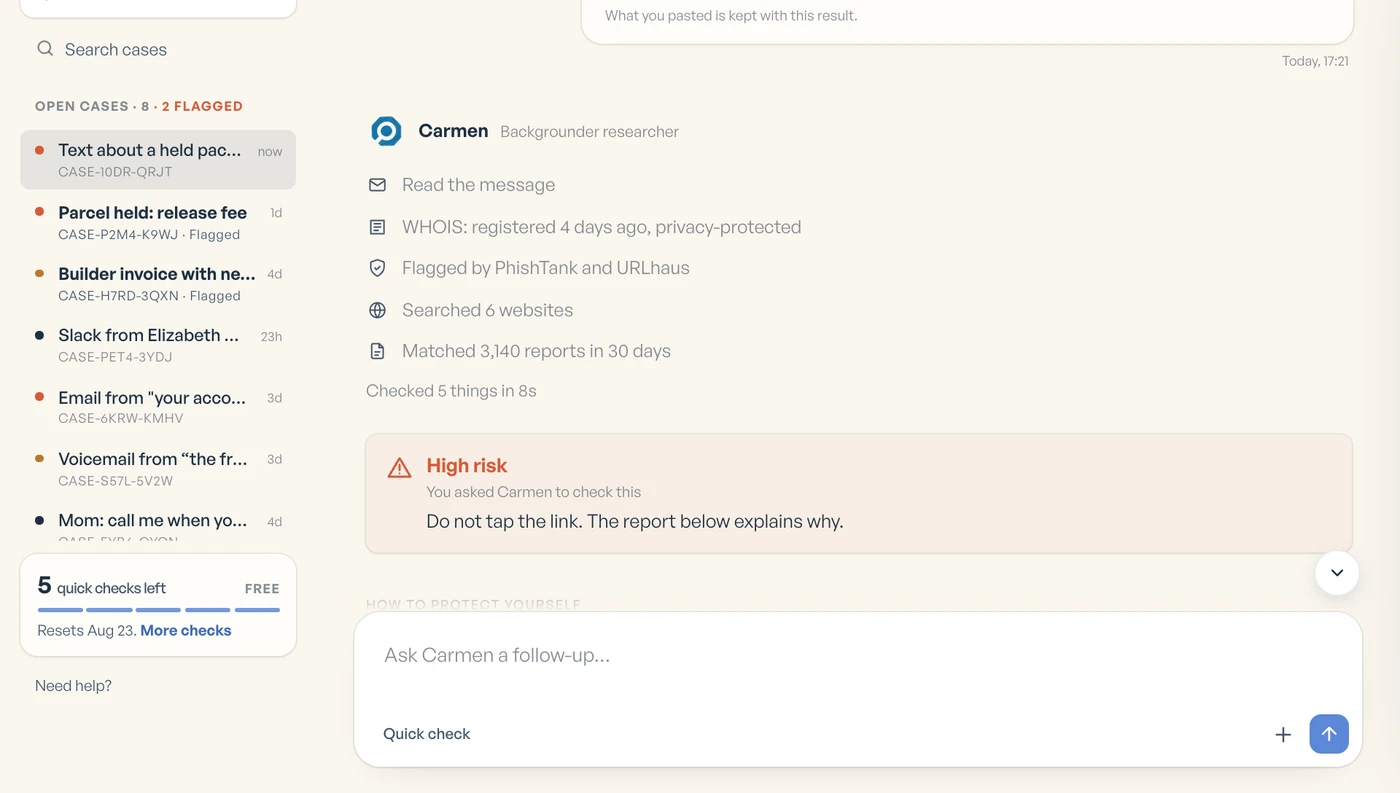
Paste the text, email, link or number that feels off. Carmen tells you the risk, the reasons and what to do.


What scam messages look like
Send Carmen a text, an email, a link or a screenshot exactly as it arrived.
Check one now →Automatic protection
Carmen Email checks new mail behind your spam filter. It is included, unlimited and never uses credits.


How it works
Every answer tells you what looks wrong, why it matters and what to do next. When Carmen is not sure, it says so.
-
 1
1Paste the message
Paste a text, an email, a link, a number or a name.
-
 2
2Carmen checks it
Carmen checks the domain, the records and past reports.
-
3
You get an answer
You get a risk level, the reasons and the steps to take now.

Pricing
Free for 14 days with a card at signup, then $5.99 a month or $59.90 a year.
You can also get 5 free quick checks a month on the website with no card. Compare plans
What does the free plan include?
Five quick checks a month on the website, with no card. Carmen Monitor, Carmen Email and Carmen Guardian come with Personal.
What do I get for $5.99 a month?
Ask Carmen, Carmen Monitor, Carmen Email and Carmen Guardian. Automatic protection is unlimited, plus 650 credits a month for checks you run.
How does the free trial work?
Personal starts with 14 days free. You add a card at signup, and the plan starts when the trial ends.
What are credits for?
Only the checks you choose to run. A Carmen Basic check uses 25 of your 650 monthly credits. Automatic protection never uses them.
What happens to my messages?
Carmen Monitor removes personal details on your device before anything is sent. Carmen Email checks mail and then discards it. Carmen Guardian never touches your contacts.
Does Carmen Email replace my spam filter?
No. It sits behind the filter you already have and checks what gets through.